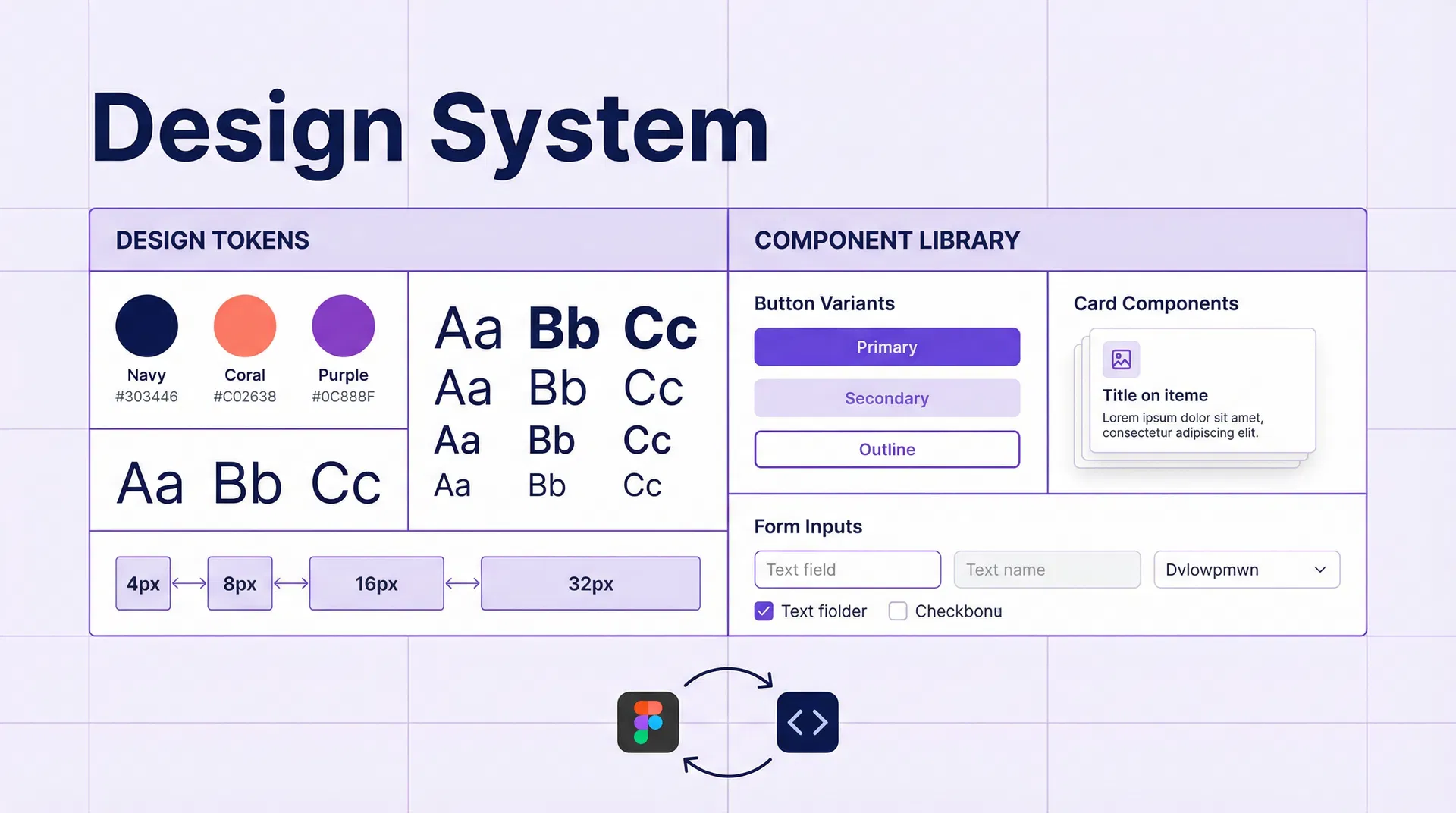
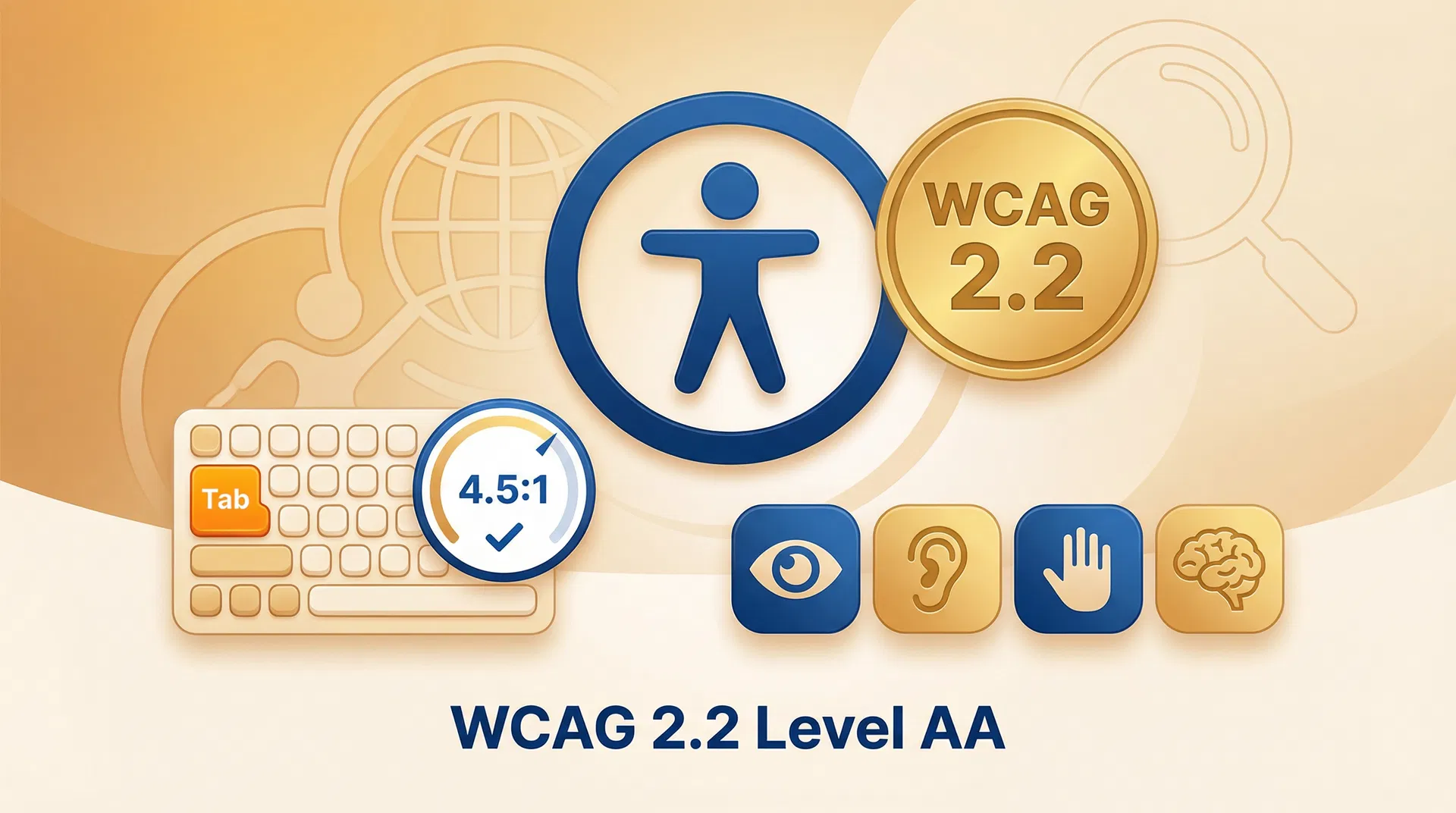
# WordPress Custom Theme Development: Complete Guide for Agencies in 2026 ## Table of Contents - [Introduction](#introduction) - [Why Develop a Custom WordPress Theme in 2026](#why-develop-a-custom-wordpress-theme-in-2026) - [Architecture of a Modern WordPress Theme](#architecture-of-a-modern-wordpress-theme) - [Full Site Editing and Block Themes in 2026](#full-site-editing-and-block-themes-in-2026) - [Development Stack: Tools and Workflow](#development-stack-tools-and-workflow) - [Design Tokens and CSS Variables System](#design-tokens-and-css-variables-system) - [Developing Custom Gutenberg Blocks](#developing-custom-gutenberg-blocks) - [Performance and Core Web Vitals in Custom Themes](#performance-and-core-web-vitals-in-custom-themes) - [Accessibility and Web Standards in 2026](#accessibility-and-web-standards-in-2026) - [Frequently Asked Questions](#frequently-asked-questions) - [Conclusion](#conclusion) - [References](#references) --- ## Introduction Custom WordPress theme development remains one of the most in-demand disciplines in the web development ecosystem in 2026, despite the rise of visual page builders and SaaS platforms like Webflow or HubSpot CMS. The reason is simple: when a company needs maximum flexibility, full control over the code and a unique visual identity that cannot be achieved with a marketplace theme, a custom WordPress theme is the most appropriate solution. However, WordPress theme development has changed radically in recent years. The introduction of the Gutenberg block editor, the arrival of Full Site Editing (FSE) and the widespread adoption of Block Themes have transformed the way modern themes are developed. In 2026, a WordPress theme developer must master not only PHP and CSS, but also the WordPress block API, the theme.json format and web performance best practices. This guide covers the complete process of developing a custom WordPress theme in 2026: from architecture and development stack to custom blocks, performance and accessibility. It is aimed at web development agencies and developers who want to create professional-quality themes for their clients. --- ## Why Develop a Custom WordPress Theme in 2026 ### The Limitations of Marketplace Themes Marketplace themes (ThemeForest, Elegant Themes, StudioPress) offer a quick and affordable solution for launching a WordPress site, but have important limitations for professional projects: **Bloated code:** Marketplace themes are designed to be flexible and adaptable to multiple use cases, resulting in excessive CSS and JavaScript that slows down the site. A typical marketplace theme loads between 500KB and 2MB of CSS and JavaScript, most of which is not used on the specific site. **Page builder dependency:** Many marketplace themes depend on proprietary page builders (Elementor, WPBakery, Divi) that add an abstraction layer between content and code. When the theme or builder is updated, incompatibilities can appear that require technical work to resolve. **Generic visual identity:** Marketplace themes are used by thousands of websites, making it difficult to create a truly unique visual identity. Clients who invest in professional branding deserve a website that reflects their identity in a unique way. **Long-term maintenance:** Marketplace themes may stop receiving updates if the original developer abandons the project, creating long-term security and compatibility risks. ### The Advantages of a Custom Theme A custom WordPress theme, developed specifically for the client, offers: - **Optimised code:** Only the code necessary for the site's specific features is included, resulting in significantly lower load times. - **Unique visual identity:** The design is developed from scratch following the client's design system. - **Predictable maintenance:** The development team knows the code in depth and can make changes and corrections efficiently. - **Scalability:** The theme can evolve with the client's needs, adding new features without compromising the existing architecture. --- ## Architecture of a Modern WordPress Theme ### Classic Theme vs Block Theme In 2026, WordPress theme developers must choose between two fundamental architectures: **Classic Theme (PHP Templates):** The traditional WordPress architecture, based on PHP files (header.php, footer.php, single.php, page.php, etc.) and the WordPress loop. This architecture is still valid and is the most familiar for developers with WordPress experience. **Block Theme (Full Site Editing):** The new WordPress architecture, based on the Gutenberg block editor and the theme.json format. Block Themes use HTML templates instead of PHP files, and all site design (header, footer, sidebar) is managed from the block editor. For new projects in 2026, the general recommendation is to develop Block Themes, as this is the direction WordPress is evolving and offers a more modern editing experience for clients. However, for projects that require highly customised features or that have development teams with Classic Theme experience, it may be more efficient to develop a Classic Theme. ### Block Theme File Structure ``` theme-name/ ├── parts/ │ ├── header.html │ ├── footer.html │ └── sidebar.html ├── patterns/ │ ├── hero-section.php │ ├── features-grid.php │ └── cta-section.php ├── templates/ │ ├── index.html │ ├── single.html │ ├── page.html │ ├── archive.html │ └── 404.html ├── assets/ │ ├── css/ │ ├── js/ │ └── images/ ├── inc/ │ ├── blocks/ │ └── functions/ ├── functions.php ├── style.css └── theme.json ``` ### The theme.json File The `theme.json` file is the heart of a Block Theme. It defines the theme's design tokens (colours, typography, spacing, shadows) that are automatically applied to all Gutenberg blocks and that are available in the block editor for content editors. An example `theme.json` for a B2B corporate theme: ```json { "$schema": "https://schemas.wp.org/trunk/theme.json", "version": 3, "settings": { "color": { "palette": [ { "slug": "primary", "color": "#1a2e4a", "name": "Primary" }, { "slug": "secondary", "color": "#e85d26", "name": "Secondary" }, { "slug": "neutral-100", "color": "#f8f9fa", "name": "Neutral 100" }, { "slug": "neutral-900", "color": "#1a1a1a", "name": "Neutral 900" } ] }, "typography": { "fontFamilies": [ { "fontFamily": "'Inter', sans-serif", "slug": "inter", "name": "Inter" } ], "fontSizes": [ { "slug": "sm", "size": "0.875rem", "name": "Small" }, { "slug": "base", "size": "1rem", "name": "Base" }, { "slug": "lg", "size": "1.125rem", "name": "Large" }, { "slug": "xl", "size": "1.25rem", "name": "XL" }, { "slug": "2xl", "size": "1.5rem", "name": "2XL" }, { "slug": "3xl", "size": "1.875rem", "name": "3XL" }, { "slug": "4xl", "size": "2.25rem", "name": "4XL" } ] }, "spacing": { "spacingSizes": [ { "slug": "1", "size": "0.25rem", "name": "1" }, { "slug": "2", "size": "0.5rem", "name": "2" }, { "slug": "4", "size": "1rem", "name": "4" }, { "slug": "8", "size": "2rem", "name": "8" }, { "slug": "16", "size": "4rem", "name": "16" } ] } } } ``` --- ## Full Site Editing and Block Themes in 2026 ### The State of Full Site Editing in 2026 WordPress's Full Site Editing (FSE) has matured significantly since its experimental introduction in WordPress 5.9 (2022). In 2026, FSE is a stable and mature technology that allows content editors to customise all aspects of the site design (header, footer, sidebar, page templates) from the block editor, without needing to access the code. The most significant FSE improvements in 2026 are: **Improved template editor:** The template editor allows page templates (single, archive, 404, search) to be created and edited directly from the block editor, with a real-time preview of the result. **Template Parts:** Template parts (header, footer, sidebar) are reusable components that can be edited from the block editor and are automatically applied to all pages using the corresponding template. **Block Patterns:** Block patterns are predefined combinations of blocks that editors can insert into their pages with a single click. In 2026, the WordPress.org patterns directory has thousands of available patterns, and themes can include their own custom patterns. **Style Variations:** Block Themes can include multiple style variations (colour palettes, typography) that editors can apply to the entire site from the styles editor. ### When to Use FSE and When Not To FSE is the best option for: - Corporate and marketing sites where the client needs to edit the site design without technical assistance. - Projects where development speed is a priority and the design can adapt to the block editor's capabilities. - Projects where visual consistency is important and you want to prevent editors from breaking the design. FSE may not be the best option for: - Complex web applications with custom business logic. - Sites with very specific design requirements that cannot be implemented with Gutenberg blocks. - Projects where the development team has extensive experience with Classic Themes and the client does not need to edit the design. --- ## Development Stack: Tools and Workflow ### Essential Tools for Theme Development in 2026 **@wordpress/scripts:** The official WordPress package for block and theme development. Includes webpack configured for WordPress development, with support for JSX, TypeScript, CSS Modules and other modern technologies. **wp-env:** The official WordPress local development environment, based on Docker. Allows isolated development environments to be created with minimal configuration. **@wordpress/create-block:** The official CLI for creating Gutenberg blocks. Generates the file structure and webpack configuration for a new block with a single command. **Storybook:** For large projects, Storybook allows theme blocks and components to be developed and documented in isolation, without needing a full WordPress environment. ### Development Workflow The recommended workflow for WordPress theme development in 2026 is: 1. **Design in Figma:** Create the design system (colour tokens, typography, spacing, components) in Figma before starting development. 2. **Environment setup:** Create the development environment with wp-env and configure the Git repository. 3. **theme.json configuration:** Translate the design tokens from Figma to theme.json format. 4. **Template development:** Create the theme's HTML templates (index, single, page, archive). 5. **Custom block development:** Create the custom Gutenberg blocks needed for the client's design. 6. **Pattern development:** Create block patterns for the most used sections of the site. 7. **Performance testing:** Verify the theme's Core Web Vitals with Lighthouse and PageSpeed Insights. 8. **Accessibility testing:** Verify the theme's accessibility with axe DevTools and manual testing with screen readers. --- ## Design Tokens and CSS Variables System ### From Figma to theme.json The process of translating the design system from Figma to theme.json format is one of the most important steps in developing a custom WordPress theme. The design tokens (colours, typography, spacing) defined in theme.json are automatically converted into CSS variables that are applied to all Gutenberg blocks. The naming convention for CSS variables generated by theme.json is: ```css /* Colour */ --wp--preset--color--primary: #1a2e4a; --wp--preset--color--secondary: #e85d26; /* Typography */ --wp--preset--font-family--inter: 'Inter', sans-serif; --wp--preset--font-size--base: 1rem; /* Spacing */ --wp--preset--spacing--4: 1rem; --wp--preset--spacing--8: 2rem; ``` These CSS variables can be used in the theme's custom CSS to maintain consistency with the tokens defined in theme.json: ```css .wp-block-custom-hero { background-color: var(--wp--preset--color--primary); padding: var(--wp--preset--spacing--16) var(--wp--preset--spacing--8); font-family: var(--wp--preset--font-family--inter); } ``` --- ## Developing Custom Gutenberg Blocks ### When to Create Custom Blocks Not all design elements require custom blocks. Many designs can be implemented using native WordPress blocks (Group, Columns, Image, Heading, Paragraph) with custom CSS styles. Custom blocks are necessary when: - The element has a specific HTML structure that cannot be achieved with native blocks. - The element has specific data fields that editors need to configure (for example, a "Service Card" block with fields for icon, title, description and link). - The element has dynamic logic that requires PHP (for example, a block that displays the latest blog articles or customer testimonials). ### Custom Block Structure A custom Gutenberg block in 2026 has the following file structure: ``` blocks/ └── service-card/ ├── block.json ← Block metadata ├── edit.jsx ← React component for the editor ├── save.jsx ← Rendering function for the frontend ├── style.css ← Frontend styles ├── editor.css ← Editor styles └── index.js ← Entry point ``` The `block.json` file defines the block's metadata and attributes: ```json { "$schema": "https://schemas.wp.org/trunk/block.json", "apiVersion": 3, "name": "emovere/service-card", "version": "1.0.0", "title": "Service Card", "category": "emovere", "icon": "star-filled", "description": "A card component for displaying a service with icon, title, description and link.", "attributes": { "icon": { "type": "string", "default": "star" }, "title": { "type": "string", "default": "Service Title" }, "description": { "type": "string", "default": "Service description goes here." }, "linkUrl": { "type": "string", "default": "" }, "linkText": { "type": "string", "default": "Learn more" } }, "supports": { "html": false, "color": { "background": true, "text": true }, "spacing": { "padding": true, "margin": true } } } ``` --- ## Performance and Core Web Vitals in Custom Themes ### CSS Optimisation CSS is one of the main performance factors in WordPress themes. Best practices for optimising CSS in custom themes are: **Inline critical CSS:** The CSS needed to render the content visible in the initial viewport (above-the-fold) should be included inline in the document's ``, to avoid render-blocking. The rest of the CSS can be loaded deferred. **Per-block CSS:** WordPress 5.9 introduced per-block CSS loading: each block only loads its CSS when it is present on the page. Custom themes should take advantage of this feature to minimise the CSS loaded on each page. **CSS Purge:** In production, unused CSS should be removed using tools like PurgeCSS. This can reduce the CSS size of a theme from several hundred KB to just a few KB. ### JavaScript Optimisation **Do not load unnecessary JavaScript:** Custom themes should not load JavaScript that is not used on the page. WordPress has a script dependency system (`wp_enqueue_script`) that allows scripts to be loaded only when necessary. **Defer and async:** Non-critical scripts should be loaded with the `defer` or `async` attributes to avoid render-blocking. **Avoid jQuery when possible:** jQuery remains a WordPress core dependency, but in 2026 most features that previously required jQuery can be implemented with vanilla JavaScript or React (for Gutenberg blocks). ### Image Optimisation **WebP and AVIF format:** WordPress 6.1 introduced native support for the WebP format in images uploaded to the Media Library. In 2026, WordPress also supports the AVIF format, which offers even better compression than WebP. Custom themes should use the `wp_get_attachment_image()` function to automatically serve images in the most efficient format supported by the browser. **Native lazy loading:** WordPress automatically adds the `loading="lazy"` attribute to images that are not in the initial viewport. Custom themes should not override this behaviour. **Responsive image sizes:** WordPress automatically generates multiple image sizes for each image uploaded to the Media Library. Custom themes should register the specific image sizes they need and use the `srcset` attribute to serve the most appropriate size for the device. --- ## Accessibility and Web Standards in 2026 ### WCAG 2.2 and European Accessibility Legislation In 2026, web accessibility is no longer optional for many European companies. The European Web Accessibility Directive (WAD) and the European Accessibility Act (EAA), which came into force in June 2025, require private companies offering digital products and services in the EU to comply with WCAG 2.1 level AA standards as a minimum. For custom WordPress themes, this implies: **Colour contrast:** All text must have a minimum contrast ratio of 4.5:1 with the background (3:1 for large text). Tools like Colour Contrast Analyser or the axe DevTools plugin can automatically verify colour contrast. **Keyboard navigation:** All interactive elements (links, buttons, forms) must be accessible via keyboard. Focus styles must be visible and clearly differentiated from the normal state. **ARIA roles and attributes:** HTML elements that do not have native semantics (navigation menus, modals, accordions, sliders) must have the correct ARIA roles and attributes so that screen readers can interpret them correctly. **Alternative texts:** All images that convey information must have descriptive alternative texts. Decorative images should have `alt=""` so that screen readers ignore them. ### HTML Semantics A custom WordPress theme must use semantic HTML: `
`, `